
Quick Answer
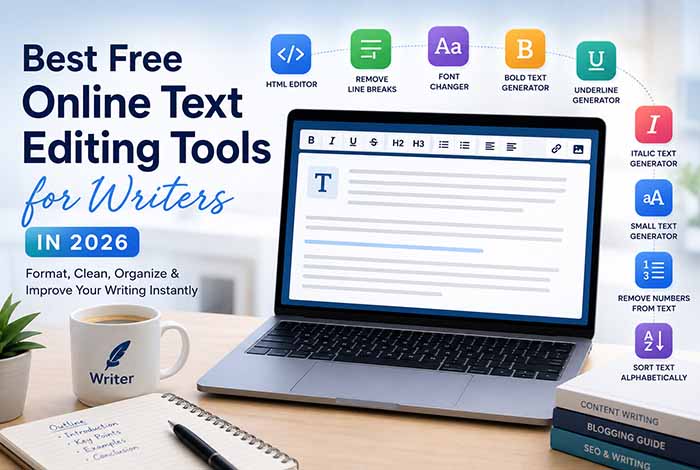
Writers can save time and improve the quality of their content by using free online text editing tools. From formatting HTML and removing unnecessary line breaks to generating stylish Unicode text and organizing keyword lists, browser-based text editors make writing, editing, and publishing faster without requiring software installation.
Why Writers Need Online Text Editing Tools
Writing is only one part of creating great content. Before an article, report, email, or social media post is published, it usually goes through multiple stages of editing, formatting, proofreading, and optimization.
Professional writers often spend just as much time editing as they do writing. Formatting issues, copied text, inconsistent spacing, unwanted line breaks, and HTML cleanup can slow down the publishing process.
This is where free online text editing tools become incredibly useful.
Instead of manually fixing repetitive formatting problems, writers can use browser-based utilities to clean and organize text in seconds. Whether you’re creating blog posts, website content, newsletters, guest articles, or AI-assisted writing, the right editing tools can significantly improve your workflow.
Another major advantage is accessibility. Since these tools work directly in your browser, there’s no need to install heavy desktop software. You can access them from virtually any device with an internet connection, making it easier to write and edit content wherever inspiration strikes.
Benefits of Using Browser-Based Text Editors
Browser-based text editing tools offer a practical alternative to traditional desktop applications. They focus on speed, simplicity, and convenience, allowing writers to complete common editing tasks more efficiently.
Some of the biggest benefits include:
No Software Installation
Everything runs directly in your browser, so you can start editing immediately without downloading or installing additional programs.
Faster Editing Workflow
Dedicated text utilities perform specific tasks almost instantly. Instead of searching through complex menus, you can remove formatting issues with just a few clicks.
Works on Any Device
Whether you’re using Windows, macOS, Linux, ChromeOS, or a mobile device, browser-based tools provide a consistent editing experience.
Better Content Organization
Many writing tasks involve organizing keyword lists, cleaning copied content, or preparing text for publishing. Specialized editing tools simplify these repetitive processes and help maintain consistency throughout your work.
Perfect for AI-Assisted Writing
Many writers now use AI tools like ChatGPT, Google Gemini, Claude, or Microsoft Copilot to generate ideas and draft content. Browser-based text editing tools make it easy to clean, format, and prepare AI-generated text before publication, resulting in more polished and professional content.
Best Free Online Text Editing Tools for Writers
Every writer has different editing needs. Some focus on long-form blog content, while others create newsletters, website copy, product descriptions, or social media posts.
The following free tools can help simplify nearly every stage of the writing process.
HTML Text Editor
Writers who publish content on WordPress or other content management systems often need to work with HTML.
A browser-based HTML editor makes it easy to create, edit, and format HTML without installing additional software.
It’s particularly useful for:
- WordPress blog posts
- Landing pages
- Email newsletters
- Website content
- Guest post formatting
Looking for an easier way to edit HTML? Try our HTML Text Editor, which lets you write and format HTML directly in your browser for faster publishing.
Remove Line Breaks
Copied text from PDFs, OCR documents, AI responses, or emails often contains unnecessary line breaks that interrupt readability.
Instead of removing them manually, our Remove Line Breaks tool instantly converts broken paragraphs into clean, readable text, helping writers prepare articles much faster before publishing.
Bold Text Generator
Writers frequently promote their articles across social media platforms.
Our Bold Text Generator allows you to create eye-catching Unicode bold text for Instagram bios, Facebook posts, X (Twitter), Discord, and other supported platforms, helping important messages stand out.
More Free Online Text Editing Tools Every Writer Should Use
Beyond basic formatting, writers often need specialized tools that make editing faster and improve the overall quality of their content. These browser-based utilities help eliminate repetitive tasks, allowing you to focus more on writing and less on manual editing.
Italic Text Generator
Italic text is commonly used to emphasize words, highlight book titles, include quotations, or add subtle styling to written content. Instead of relying on platform-specific formatting options, Unicode italic text works across many websites and social media platforms.
Whether you’re creating blog posts, email newsletters, or promotional content, our Italic Text Generator helps you instantly convert plain text into elegant Unicode italic characters. It’s an excellent tool for writers, bloggers, marketers, and content creators who want to add emphasis while maintaining a clean and professional appearance.
Underline Text Generator
Sometimes important information deserves extra attention.
Underlined Unicode text can help highlight calls-to-action, promotional messages, educational content, and important announcements.
Whether you’re creating engaging social media posts, emphasizing key information, or designing marketing materials, our Underline Text Generator lets you generate stylish underlined Unicode text within seconds. It’s a simple yet effective tool for writers who want their content to stand out across supported platforms.
Text Font Changer
Presentation matters just as much as content.
Creative typography can make social media captions, profile descriptions, and promotional posts more engaging without requiring graphic design software.
Our Text Font Changer allows writers to transform plain text into a variety of stylish Unicode font styles for Instagram, Facebook, X (Twitter), Discord, LinkedIn, and many other platforms. Whether you’re promoting a new blog post or building your personal brand, it’s an easy way to create eye-catching content.
Small Text Generator
Small Unicode text offers a unique way to personalize digital content while maintaining readability.
Many writers use small text for:
- Social media bios
- Creative signatures
- Profile descriptions
- Decorative captions
- Personal branding
If you’re looking to create stylish miniature text for creative projects or online profiles, our Small Text Generator instantly converts regular text into Unicode small characters that can be copied and pasted almost anywhere.
Remove Numbers From Text
Writers frequently work with copied content from spreadsheets, OCR scans, research papers, exported databases, and AI-generated datasets.
These sources often contain unnecessary numbers that interrupt readability.
Instead of removing them manually, our Remove Numbers From Text tool quickly eliminates unwanted digits while preserving the original words. It’s particularly useful when preparing research notes, editing drafts, cleaning AI-generated content, or formatting documents before publication.
Sort Text Alphabetically
Organization plays an important role in every writer’s workflow.
Whether you’re managing keyword research, glossary entries, bibliography lists, research notes, or content outlines, alphabetical organization makes information easier to review.
Our Sort Text Alphabetically tool helps writers arrange text instantly in ascending or descending order, saving valuable time during content planning and editing.
How These Tools Improve Writing Productivity
Every minute spent fixing formatting issues is time that could be spent writing.
Free online text editing tools reduce repetitive manual work and allow writers to focus on creating high-quality content instead of correcting small formatting mistakes.
These tools help writers:
- Clean copied text in seconds
- Remove unnecessary formatting
- Organize keyword research
- Prepare HTML for publishing
- Improve content consistency
- Create engaging social media text
- Save time during editing
- Simplify AI-generated content cleanup
For freelance writers, bloggers, journalists, students, marketers, and business owners, these small improvements can significantly increase overall productivity.
Why More Writers Are Switching to Browser-Based Editing Tools
Modern writers no longer rely exclusively on traditional desktop applications.
Browser-based text editing tools offer several advantages:
- Faster access from any device
- No software installation
- Simple, focused interfaces
- Free to use
- Instant results
- Mobile-friendly editing
- Easy copy-and-paste workflow
Because these tools are designed to solve specific problems, they often complete tasks much faster than large desktop applications.
Whether you’re writing one article each month or publishing content every day, browser-based text utilities can become an essential part of your workflow.
How to Choose the Best Online Text Editing Tool
Not every online text editor offers the same features. Some focus on basic writing, while others provide specialized tools for formatting, cleaning, and organizing text. Choosing the right tool depends on your workflow and the type of content you create.
When comparing online text editing tools, consider the following factors:
Ease of Use
A good text editor should have a clean, intuitive interface that allows you to complete tasks quickly without unnecessary distractions.
Speed and Performance
The best browser-based tools process text instantly, even when working with large documents or lengthy content.
Privacy
If you’re editing sensitive information, choose tools that process text directly in your browser whenever possible. This helps keep your content private and reduces the need to upload data to external servers.
Mobile Compatibility
Writers often work across multiple devices. A responsive text editor ensures you can continue editing on a desktop, laptop, tablet, or smartphone without sacrificing usability.
Specialized Features
Rather than relying on one complex application, many writers prefer dedicated tools designed for specific tasks, such as:
- Editing HTML
- Removing unnecessary line breaks
- Organizing keyword lists
- Cleaning copied text
- Generating Unicode text styles
- Formatting content for websites and social media
Choosing tools that match your specific workflow can save hours of manual editing over time.
Why Choose Free Online Text Editor?
At Free Online Text Editor, our goal is to make writing and editing faster, easier, and completely free.
Instead of offering a single editor packed with features you may never use, we provide a growing collection of focused tools designed to solve everyday text editing challenges.
Whether you need to:
- Edit HTML for WordPress
- Remove unnecessary line breaks
- Organize keyword lists alphabetically
- Generate bold, italic, or underlined Unicode text
- Remove unwanted numbers from copied content
- Create stylish Unicode fonts
you’ll find a simple, browser-based solution that works without downloads or software installation.
Our tools are built for:
- Writers
- Bloggers
- Students
- Journalists
- Content Creators
- Copywriters
- SEO Professionals
- Web Developers
- Digital Marketers
- Business Owners
Every tool is designed with simplicity, speed, and usability in mind, allowing you to spend less time editing and more time creating high-quality content.
External Resources
To further improve your writing, editing, and web publishing skills, these trusted resources are worth exploring:
- Google Docs Help Center – Learn how to create, edit, format, and collaborate on documents.
- Microsoft Word Help & Learning – Discover official guides, templates, and productivity tips for document editing.
- MDN Web Docs – Explore comprehensive documentation for HTML, CSS, JavaScript, and modern web development.
- W3C Web Standards – Learn about official HTML, CSS, accessibility, and web standards published by the World Wide Web Consortium.
These resources complement the tools available on Free Online Text Editor and provide valuable guidance for writers, developers, students, marketers, and professionals.
Frequently Asked Questions
What is the best free online text editing tool for writers?
The best tool depends on your needs. Writers often benefit from a combination of HTML editors, text formatting utilities, line break removers, alphabetical sorting tools, and Unicode text generators to streamline the editing process.
Can online text editing tools improve writing productivity?
Yes. Online text editing tools automate repetitive tasks such as formatting, organizing, and cleaning text, allowing writers to spend more time creating content and less time making manual corrections.
Are browser-based text editing tools better than desktop software?
For many everyday editing tasks, browser-based tools are faster and more convenient because they require no installation, work across multiple devices, and provide instant access from anywhere.
Do professional writers use online text editing tools?
Absolutely. Many professional writers, bloggers, journalists, and content marketers use browser-based text utilities alongside traditional writing software to simplify editing and improve workflow efficiency.
Can I use these tools for AI-generated content?
Yes. Many writers use online text editing tools to clean, organize, and format content generated by AI writing assistants before publishing it on websites, blogs, or social media platforms.
Are these text editing tools suitable for SEO content writing?
Yes. They can help organize keyword lists, prepare HTML, clean copied text, and improve formatting, making the content creation process more efficient for SEO professionals.
Do I need to create an account to use these tools?
Most browser-based text editing tools are available instantly and do not require account registration, making them convenient for quick editing tasks.
Are online text editing tools mobile-friendly?
Yes. Most modern text editing tools are responsive and work smoothly on desktops, laptops, tablets, and smartphones.
Start Writing Smarter Today
Great writing isn’t just about choosing the right words—it’s also about presenting them clearly, professionally, and efficiently. Whether you’re drafting blog posts, preparing website content, editing HTML, or organizing research notes, the right text editing tools can save time and improve the quality of your work.
At Free Online Text Editor, we’re committed to helping writers work smarter with a growing collection of fast, free, and easy-to-use browser-based tools. Explore our online text editing utilities today and discover how simple formatting, organizing, and cleaning text can transform your writing workflow.