
Quick Answer
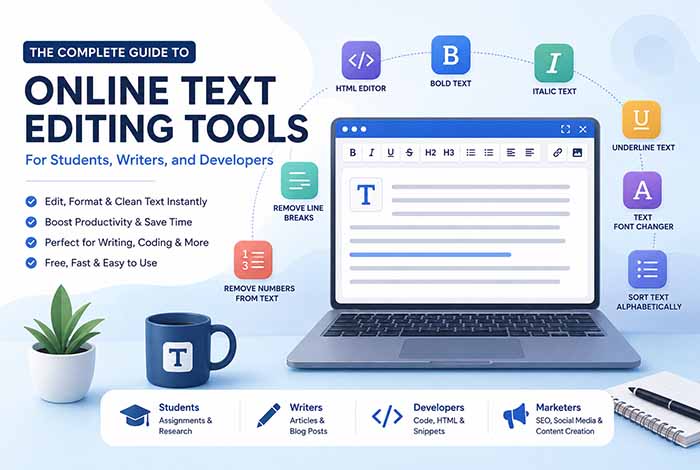
If you regularly write, code, edit, or organize text, online text editing tools can save time and improve accuracy. From removing unnecessary characters and formatting text to generating HTML or changing text styles, modern browser-based text editors provide fast, secure, and free solutions without requiring software installation.
Why Online Text Editing Tools Matter
Digital writing has become part of everyday life. Students prepare assignments, bloggers publish articles, developers edit code snippets, marketers write social media content, and businesses create reports every day. While traditional desktop software is still useful, many people now prefer browser-based text editing tools because they are faster, simpler, and available from virtually any device.
Unlike heavy desktop applications, online text editors let you work instantly without downloading or installing software. Whether you need to clean copied text, remove unwanted formatting, or prepare content for a website, a web-based editor can often complete the task in just a few seconds.
Modern text editing tools are also designed for specific tasks. Instead of using one application for everything, you can choose a specialized tool that performs a single job exceptionally well. For example, if you need to alphabetize a list, remove numbers from copied text, or convert text into HTML, dedicated utilities are usually faster and more accurate than doing the work manually.
Who Should Use Online Text Editing Tools?
Online text editing tools are valuable for almost anyone who works with digital text. They help improve productivity while reducing repetitive manual work.
Students
Students frequently copy notes from different sources, prepare research papers, and organize assignments. A reliable online editor helps remove unnecessary formatting, clean copied text, and improve document readability before submission.
Useful tools include:
- HTML Text Editor
- Remove Line Breaks
- Sort Text Alphabetically
- Small Text Generator
Writers and Bloggers
Content creators often edit thousands of words every week. Simple formatting issues can waste valuable time when preparing articles for publication.
Using specialized text tools makes it easier to:
- clean copied content
- remove unwanted numbers
- organize keyword lists
- format headings
- prepare HTML for WordPress
- improve overall readability
For example, your Remove Numbers From Text tool is ideal for cleaning datasets, product exports, or OCR-generated documents, while the HTML Text Editor simplifies preparing blog content before publishing.
Benefits of Browser-Based Text Editors
There are several reasons why browser-based text editing tools continue to grow in popularity.
No Installation Required
Everything works directly in your browser. There is no need to download software, manage updates, or worry about compatibility.
Works on Any Device
Whether you use Windows, macOS, Linux, Chromebook, or even a tablet, an online editor is available whenever you have internet access.
Faster Workflow
Instead of searching through complicated software menus, dedicated online tools perform one task with a single click.
Examples include:
- Bold Text Generator for social media formatting.
- Italic Text Generator for stylish text.
- Underline Text Generator for emphasis.
- Text Font Changer for Unicode font variations.
- Remove Numbers From Text for cleaning numeric data.
- Sort Text Alphabetically for organizing lists.
- Line Break Remover for cleaning copied paragraphs.
Secure Processing
Many modern text editing websites process text directly inside your browser rather than uploading it to remote servers. This approach helps protect sensitive information while providing faster performance.
For tasks involving confidential documents, reports, or programming code, browser-based processing offers an additional layer of privacy.
Essential Online Text Editing Tools Everyone Should Know
While a traditional text editor can handle basic writing, specialized online tools are designed to solve specific problems much faster. Instead of spending several minutes editing content manually, these tools can complete the same task in just a few seconds.
Below are some of the most useful online text editing tools and how they can improve your workflow.
HTML Text Editor
If you publish content on WordPress or another content management system, editing HTML directly is often necessary. A browser-based HTML editor allows you to write, edit, and preview HTML code without installing additional software.
Common use cases include:
- Creating blog posts
- Editing website content
- Writing landing pages
- Testing HTML snippets
- Formatting newsletters
If you’re working with web content, our HTML Text Editor is a simple solution for creating clean HTML before publishing.
Looking for a simple way to edit HTML online? Our HTML Text Editor lets you create, edit, and format HTML code directly in your browser, making it ideal for WordPress users, web developers, bloggers, and digital marketers. Whether you’re building landing pages, testing HTML snippets, or preparing content for publishing, this tool helps you work faster and more efficiently.
Bold Text Generator
Bold Unicode text has become extremely popular on platforms like Facebook, Instagram, X (Twitter), TikTok, and Discord.
Instead of relying on formatting options that may not be supported everywhere, a Unicode Bold Text Generator converts regular text into bold characters that can be copied and pasted almost anywhere.
Examples include:
- Social media bios
- Instagram captions
- Facebook posts
- Gaming usernames
- Promotional content
Whether you’re creating engaging social media posts, emphasizing important information, or building a stronger personal brand, our Bold Text Generator helps you generate eye-catching Unicode bold text in seconds. It’s a fast, free, and easy-to-use tool for writers, marketers, content creators, and anyone looking to make their text more noticeable across supported platforms.
Italic Text Generator
Italic text is useful when you want to emphasize a word or phrase without changing the meaning of your content.
Many writers use italic Unicode characters for:
- Book titles
- Quotes
- Creative writing
- Social media captions
- Personal branding
Because Unicode characters work across many platforms, they’re an excellent alternative to traditional formatting.
Whether you’re highlighting book titles, emphasizing important words, or creating stylish social media content, our Italic Text Generator instantly converts plain text into elegant Unicode italic characters. It’s perfect for writers, students, bloggers, marketers, and anyone who wants to add subtle emphasis without relying on traditional formatting.
Underline Text Generator
Underlined text immediately draws attention to important information.
Whether you’re highlighting a call-to-action, emphasizing a heading, or creating stylish social media posts, an online underline generator makes the process quick and effortless.
Popular uses include:
- Marketing campaigns
- Product promotions
- Instagram bios
- Educational materials
- Announcements
Want to make important words or phrases stand out? Our Underline Text Generator lets you instantly convert plain text into stylish underlined Unicode text for social media posts, Instagram bios, announcements, educational content, and marketing campaigns. Simply enter your text, copy the result, and paste it wherever Unicode formatting is supported.
Remove Line Breaks
Copying text from PDFs, emails, OCR documents, or scanned files often creates unnecessary line breaks that interrupt readability.
Instead of deleting each line break manually, a dedicated tool removes them instantly while preserving the original text.
This tool is especially useful for:
- Researchers
- Students
- Bloggers
- Journalists
- Content editors
Whether you’ve copied text from PDFs, Word documents, emails, OCR scans, or web pages, our Remove Line Breaks tool instantly joins broken lines into clean, readable paragraphs while preserving your original content. It’s a time-saving solution for students, writers, researchers, developers, and anyone preparing text for editing, publishing, or AI writing tools.
Sort Text Alphabetically
Organizing information manually can be surprisingly time-consuming.
Whether you’re managing keyword lists, customer names, product inventories, or glossary entries, alphabetically sorting text improves organization and makes information easier to navigate.
Typical use cases include:
- SEO keyword research
- Email lists
- Student names
- Product catalogs
- Vocabulary lists
Whether you’re organizing SEO keywords, customer names, product catalogs, or research notes, our Sort Text Alphabetically tool helps you arrange text in alphabetical order within seconds. It’s a simple yet powerful utility for improving organization, productivity, and overall workflow without any manual sorting.
Remove Numbers From Text
Sometimes you only need the words—not the numbers.
If you’ve copied data from spreadsheets, invoices, reports, OCR scans, or exported databases, removing numbers manually can be frustrating.
A dedicated Remove Numbers From Text tool instantly removes:
- Years
- Prices
- IDs
- Phone numbers
- Decimal values
- Numeric references
This makes it ideal for preparing clean text for editing, translation, AI prompts, or publishing.
If you’re working with OCR scans, spreadsheet exports, research data, or copied content, our Remove Numbers From Text tool helps you instantly remove unwanted numbers while keeping the original words intact. It’s a fast and reliable solution for writers, students, developers, and anyone preparing clean text for editing, publishing, or AI-powered writing tools.
Text Font Changer
Unicode font generators let you transform ordinary text into stylish variations without installing custom fonts.
Popular font styles include:
- Fancy text
- Bubble text
- Monospace
- Double-struck
- Sans Serif
- Decorative Unicode fonts
These styles are commonly used for:
- Social media profiles
- Gaming usernames
- Digital branding
- Creative projects
Looking for a quick way to make your text stand out? Our Text Font Changer helps you transform ordinary text into stylish Unicode fonts for Instagram bios, Facebook posts, Discord usernames, X (Twitter), and more—all without installing any custom fonts.
Small Text Generator
Small Unicode characters create a distinctive appearance for social media posts, profile names, and creative designs.
Although they shouldn’t replace standard text in long-form writing, they’re perfect for decorative purposes.
Many users rely on small text for:
- Instagram bios
- Discord usernames
- X (Twitter) profiles
- Creative branding
If you’re creating decorative text for Instagram bios, Discord usernames, or social media profiles, try our Small Text Generator to instantly convert regular text into stylish Unicode small characters.
Best Online Text Editing Tools for Students
Students frequently work with research papers, lecture notes, and assignments. Using dedicated online tools can significantly reduce editing time and improve document quality.
Some of the most helpful tools include:
- HTML Text Editor for formatting web assignments
- Remove Line Breaks for cleaning copied PDF text
- Sort Text Alphabetically for bibliography lists
- Remove Numbers From Text for OCR cleanup
- Bold and Italic Generators for presentation content
Instead of spending valuable study time fixing formatting issues, students can focus on learning while these tools handle repetitive editing tasks.
Best Online Text Editing Tools for Writers and Bloggers
Professional writers spend more time editing than writing.
Before an article is published, it usually goes through multiple rounds of formatting, proofreading, and optimization.
Online text editing tools simplify many of these repetitive tasks by allowing writers to:
- clean copied drafts
- organize keyword lists
- prepare HTML content
- remove unnecessary formatting
- generate styled text for social media promotion
Whether you’re writing a blog post, newsletter, product description, or guest article, browser-based editing tools can dramatically improve efficiency while maintaining consistency.
Best Online Text Editing Tools for Developers
Developers work with text constantly, whether they’re writing HTML, CSS, JavaScript, JSON, Markdown, SQL queries, or configuration files. Even small formatting issues can lead to unnecessary debugging or reduce code readability.
Online text editing tools simplify these repetitive tasks, allowing developers to focus more on building applications and less on manual formatting.
Some of the most useful tools for developers include:
- HTML code editing
- Removing unnecessary line breaks
- Cleaning copied documentation
- Sorting lists alphabetically
- Removing numbers from exported datasets
- Formatting text before adding it to web pages
If you’re building websites or web applications, using lightweight browser-based tools can significantly improve productivity without interrupting your workflow.
How AI Is Changing Text Editing
Artificial intelligence has transformed the way people write, edit, and improve content. Tools like ChatGPT, Google Gemini, Claude, Microsoft Copilot, and other AI assistants help users generate ideas, draft articles, summarize information, and rewrite text more efficiently than ever before.
However, AI-generated content still requires careful editing before publication.
Common post-editing tasks include:
- Removing unnecessary formatting
- Cleaning copied responses
- Editing HTML before publishing
- Organizing keyword lists
- Formatting social media text
- Preparing prompts for AI tools
This is where online text editing tools become valuable companions. Instead of manually correcting formatting issues, users can clean and organize their content in seconds.
For example:
- Use the Remove Line Breaks tool after copying AI-generated text from PDFs or documents.
- Use Sort Text Alphabetically to organize keyword research.
- Use Remove Numbers From Text when cleaning OCR or exported data.
- Use HTML Text Editor before publishing content on WordPress.
- Use Bold, Italic, or Underline Text Generators to create eye-catching social media content.
By combining AI writing assistants with specialized text editing tools, users can create cleaner, more professional, and publication-ready content much faster.
How to Choose the Right Online Text Editor
Not every online text editor offers the same features. The best choice depends on your workflow and the type of content you create.
When selecting an online text editing tool, look for features such as:
Browser-Based Access
The tool should work directly in your browser without requiring downloads or installations.
Fast Processing
Editing should happen instantly, even when working with large amounts of text.
Privacy
Whenever possible, choose tools that process text locally in your browser rather than uploading it to external servers.
Mobile Compatibility
A responsive interface makes editing convenient on desktops, tablets, and smartphones.
Specialized Features
Instead of one complex editor, look for dedicated tools designed for specific tasks such as:
- Text formatting
- HTML editing
- Line break removal
- Number removal
- Alphabetical sorting
- Unicode text generation
Specialized tools often deliver better results while keeping the interface simple and easy to use.
Why Free Online Text Editor Is a Great Choice
At Free Online Text Editor, our goal is to make text editing faster, easier, and completely free.
Whether you’re a student preparing assignments, a blogger publishing articles, a developer editing HTML, or a marketer creating social media content, you’ll find practical tools designed to save time and improve productivity.
Our growing collection of browser-based utilities includes:
- HTML Text Editor
- Bold Text Generator
- Italic Text Generator
- Underline Text Generator
- Text Font Changer
- Small Text Generator
- Remove Line Breaks
- Remove Numbers From Text
- Sort Text Alphabetically
Every tool is designed with simplicity, speed, and usability in mind, allowing you to complete common text editing tasks with just a few clicks.
As we continue expanding our library, you’ll find even more free online tools to help with writing, formatting, organizing, and cleaning text.
External Resources
To expand your knowledge of writing, document formatting, and web development, these official resources provide trusted guidance, tutorials, and best practices:
- Google Docs Help Center – Learn how to create, edit, format, share, and collaborate on documents using Google Docs.
- Microsoft Word Help & Learning – Explore official tutorials, formatting guides, document templates, and productivity tips for Microsoft Word.
- MDN Web Docs – Access comprehensive documentation on HTML, CSS, JavaScript, and modern web development from Mozilla.
- W3C Web Standards – Learn about official HTML, CSS, accessibility, and web standards published by the World Wide Web Consortium (W3C).
These trusted resources complement the tools available on Free Online Text Editor and provide valuable guidance for students, writers, developers, marketers, and anyone looking to improve their writing, formatting, or web development skills.
Final Thoughts
Online text editing tools have become essential for anyone who works with digital content. From cleaning copied text and formatting HTML to generating stylish Unicode characters and organizing information, these tools save time while improving accuracy and productivity.
Whether you’re a student completing assignments, a writer publishing blog posts, a developer editing code, or a marketer creating engaging content, having the right browser-based text editing tools can make everyday tasks faster and more efficient.
At Free Online Text Editor, we’re committed to providing free, easy-to-use, and reliable text utilities that help you work smarter. Explore our growing collection of online tools and discover how simple text editing can be when you have the right resources at your fingertips.
Frequently Asked Questions About Online Text Editing Tools
What are online text editing tools?
Online text editing tools are browser-based applications that help users write, edit, clean, format, and organize text without installing software. They can perform tasks such as HTML editing, text formatting, removing line breaks, sorting text alphabetically, and generating Unicode text styles.
Are online text editing tools free to use?
Many online text editing tools are completely free and work directly in your web browser. They allow you to edit and format text instantly without requiring downloads, subscriptions, or account registration.
Are browser-based text editors safe?
Most modern online text editors are safe, especially those that process text directly in your browser instead of uploading it to external servers. Before using any tool, it’s always a good idea to review the website’s privacy policy if you’re working with sensitive information.
Can I use online text editing tools on mobile devices?
Yes. Most modern online text editors are fully responsive and work seamlessly on smartphones, tablets, laptops, and desktop computers, allowing you to edit text from virtually anywhere.
Which online text editing tool is best for students?
Students often benefit from tools that clean copied notes, organize information, and simplify formatting. Features like removing line breaks, sorting text alphabetically, editing HTML, and generating formatted text can save time when preparing assignments and research papers.
Can writers and bloggers benefit from online text editing tools?
Absolutely. Writers and bloggers frequently use online text editing tools to clean copied content, organize keyword lists, prepare HTML for WordPress, format text, and create engaging social media captions more efficiently.
Do developers use online text editing tools?
Yes. Developers regularly use browser-based text editors to edit HTML, clean copied documentation, organize code snippets, remove unwanted formatting, and prepare content before publishing websites or web applications.
Why should I use a browser-based text editor instead of desktop software?
Browser-based text editors are lightweight, accessible from any device, require no installation, and are perfect for quick editing tasks. They also eliminate the need to install large software packages for simple text formatting jobs.
Start Editing Smarter Today
Whether you’re a student preparing assignments, a writer publishing articles, a developer editing HTML, or a marketer creating digital content, the right online text editing tools can save time and improve productivity. At Free Online Text Editor, you’ll find a growing collection of free, browser-based tools designed to help you write, format, organize, and clean text with ease. Explore our tools today and simplify your everyday text editing tasks.