
Quick Summary
Artificial intelligence can generate high-quality content within seconds, but it often requires editing before publication. Online text editing tools help AI writers clean formatting, remove unnecessary spaces, fix line breaks, improve readability, and prepare articles for publishing much faster. By combining AI writing with the right editing tools, writers can improve efficiency, consistency, and content quality.
Featured Snippet
AI writers can save significant time by using online text editing tools to clean formatting, remove duplicate lines, fix spacing issues, organize headings, and prepare content for publishing. These tools simplify the editing process, improve readability, and reduce manual work, allowing writers to focus on creating valuable content instead of correcting formatting errors.
How AI Writers Can Save Time Using Online Text Editing Tools
Artificial intelligence has completely changed the way people create content. Writers, bloggers, marketers, students, and businesses now use AI writing assistants to generate articles, emails, reports, product descriptions, and social media posts in minutes instead of hours.
However, AI-generated content is rarely ready to publish immediately.
Many AI-generated documents contain inconsistent formatting, unnecessary line breaks, repeated text, extra spaces, inconsistent heading structures, or copied formatting from external sources. These issues require manual editing, which can consume a significant amount of time.
This is where online text editing tools become valuable. They help writers quickly clean, organize, and optimize content before publishing.
In this guide, you’ll learn how combining AI writing with online text editing tools creates a faster, more efficient writing workflow.
Why AI-Generated Content Still Needs Editing
Modern AI models are excellent at producing readable content, but they cannot always predict how the final document should look on your website, blog, or document editor.
Common formatting issues include:
- Extra blank lines
- Duplicate paragraphs
- Broken sentences after copying
- Inconsistent spacing
- Mixed heading styles
- Poor paragraph structure
- Unwanted HTML formatting
- Copied formatting from PDFs
Instead of fixing these problems manually, online editing tools can solve them in seconds.
Benefits of Using Online Text Editing Tools with AI
Using AI and editing tools together provides several advantages.
Faster Editing
Instead of manually correcting hundreds of formatting mistakes, automated tools complete the process almost instantly.
Better Readability
Proper spacing, shorter paragraphs, and consistent formatting make content easier to read on both desktop and mobile devices.
Improved Productivity
Writers spend less time fixing formatting and more time researching, editing ideas, and improving content quality.
Consistent Formatting
Whether you’re publishing one article or one hundred, maintaining consistent formatting becomes much easier.
Better User Experience
Visitors stay engaged longer when content is well organized and visually clean.
Essential Online Text Editing Tools for AI Writers
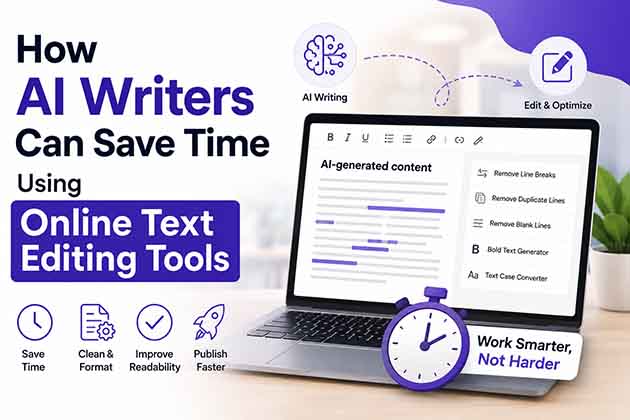
Online Text Editor
An online text editor provides a distraction-free environment for editing AI-generated content before publishing.
It allows writers to:
- Format headings
- Edit paragraphs
- Copy clean text
- Prepare content for WordPress
- Remove unnecessary formatting
Remove Line Breaks Tool
Content copied from AI chats, PDFs, or OCR software often contains unwanted line breaks.
A line break remover converts messy text into properly formatted paragraphs while preserving readability.
Remove Duplicate Lines Tool
AI-generated data lists or copied datasets sometimes contain duplicate lines.
This tool removes repeated lines instantly, making long documents cleaner and easier to manage.
Remove Blank Lines Tool
Extra blank lines can make content look unprofessional.
Removing unnecessary blank lines creates a cleaner layout and improves readability.
Bold Text Generator
Writers frequently need to emphasize important keywords, headings, or social media content.
A bold text generator quickly creates bold Unicode text without manually searching for symbols.
Creating an Efficient AI Writing Workflow
A simple workflow can save hours every week.
Step 1
Generate the first draft using your preferred AI writing assistant.
Step 2
Review factual accuracy and rewrite sections that require a human touch.
Step 3
Use online text editing tools to:
- Remove formatting issues
- Clean copied text
- Remove duplicate lines
- Fix spacing
- Organize headings
Step 4
Optimize the content for SEO.
Step 5
Publish with confidence.
SEO Benefits of Proper Text Formatting
Formatting influences how readers interact with your content.
Proper formatting can improve:
- Reading experience
- Time on page
- Content organization
- Mobile usability
- Accessibility
While formatting alone does not directly increase rankings, it supports the creation of helpful, user-friendly content that search engines value.
Common Mistakes AI Writers Should Avoid
Many writers publish AI-generated content too quickly.
Avoid these mistakes:
- Publishing without editing
- Ignoring formatting problems
- Using long paragraphs
- Overusing bold text
- Forgetting internal links
- Leaving duplicate content
- Copying text directly from PDFs
Best Practices for AI-Assisted Content Creation
To produce high-quality content:
- Edit every AI draft manually.
- Verify facts and statistics.
- Improve readability with shorter paragraphs.
- Maintain consistent heading structures.
- Remove unnecessary formatting.
- Add original insights and examples.
- Use online editing tools before publishing.
According to Google’s helpful content guidelines, content should be created primarily for people, providing original value rather than focusing only on search engine rankings.
Conclusion
Artificial intelligence has made content creation faster than ever, but editing remains an essential part of the writing process.
Online text editing tools bridge the gap between AI-generated drafts and publication-ready content. Whether you need to remove duplicate lines, clean copied text, improve formatting, or organize long articles, these tools help reduce manual work while improving quality.
By combining AI writing with efficient editing tools, writers can publish faster, maintain consistency, and create a better experience for both readers and search engines.
Frequently Asked Questions
Do AI-generated articles require editing?
Yes. AI-generated content should always be reviewed for formatting, accuracy, readability, and originality before publishing.
Can online text editing tools improve productivity?
Yes. They automate repetitive editing tasks such as removing line breaks, fixing spacing, and cleaning formatting.
Which text editing tools are most useful for AI writers?
Useful tools include online text editors, line break removers, duplicate line removers, blank line removers, and text formatting utilities.
Do these tools help with SEO?
They improve content organization and readability, which supports the creation of high-quality, user-friendly content.
Are browser-based text editing tools free?
Many online text editing tools are free and work directly in a web browser without requiring installation.