
Quick Answer
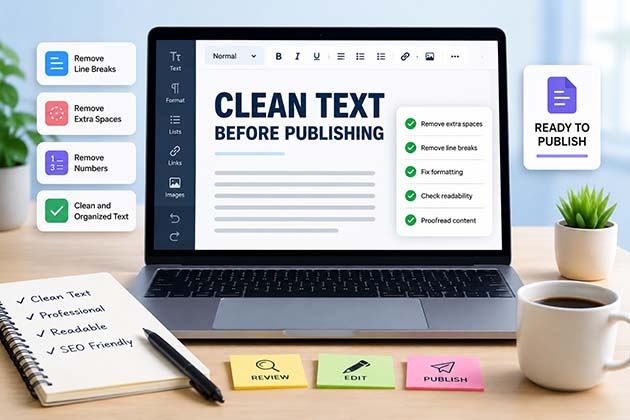
Cleaning text before publishing removes formatting errors, broken line breaks, unnecessary spaces, hidden characters, and inconsistencies that reduce readability. A clean document looks more professional, improves the reader experience, and makes your content easier to edit, share, and publish.
Why Cleaning Text Before Publishing Matters
Writing great content is only half of the publishing process. Before an article, webpage, email, or document goes live, it should be carefully cleaned to remove unnecessary formatting and improve readability.
Many formatting problems appear after copying text from AI writing tools, PDFs, Microsoft Word, Google Docs, emails, websites, or OCR software. These hidden issues often make content look unprofessional and can create extra editing work later.
Cleaning your text ensures that readers focus on your message instead of being distracted by inconsistent formatting or layout problems.
Whether you’re publishing a blog post, website page, newsletter, academic paper, or business document, reviewing and cleaning your content should always be the final editing step.
Common Text Problems Before Publishing
Most formatting issues are surprisingly common and easy to overlook.
Here are some of the problems writers frequently encounter.
Unwanted Line Breaks
Copied text often contains unnecessary line breaks that interrupt the natural flow of paragraphs.
Instead of manually fixing every paragraph, our Remove Line Breaks tool quickly converts broken text into clean, readable paragraphs.
Extra Spaces
Multiple consecutive spaces make documents look inconsistent.
They usually appear after copying content from PDFs, OCR software, or formatted documents.
Cleaning unnecessary spaces improves readability and creates a more professional appearance.
Inconsistent Formatting
Sometimes headings, font sizes, bold formatting, italics, and spacing become inconsistent after copying content between different applications.
Review your formatting carefully before publishing.
Hidden Characters
Invisible formatting characters can affect layout, HTML rendering, and document consistency.
These hidden characters often come from copied web pages or exported documents.
Unwanted Numbers
OCR software, scanned documents, exported tables, and AI-generated drafts sometimes include numbers that don’t belong in the final version.
Instead of deleting them one by one, our Remove Numbers From Text tool can clean them instantly while preserving the surrounding text.
Step-by-Step Text Cleaning Process
Following a simple editing workflow helps ensure that every document is ready for publication.
Step 1: Read Through the Entire Document
Start by reading the content from beginning to end.
Look for:
- Broken paragraphs
- Missing headings
- Repeated words
- Grammar issues
- Awkward sentences
Step 2: Remove Unnecessary Formatting
Delete unwanted line breaks, excessive spaces, inconsistent fonts, and unnecessary styling.
The goal is to create a clean, consistent layout throughout the document.
Step 3: Review Headings
Check that every heading accurately describes the section below it.
Organized headings improve both readability and navigation.
Step 4: Improve Readability
Use:
- Short paragraphs
- Bullet lists
- Clear headings
- Consistent spacing
- Logical section order
These small improvements make content significantly easier to read.
Step 5: Final Proofreading
Before publishing:
- Check spelling
- Review grammar
- Verify links
- Confirm formatting consistency
- Preview the content on desktop and mobile
A final review helps catch small mistakes that are easy to miss during writing.
Best Online Tools for Cleaning Text
Modern online text editing tools can significantly reduce the time required to prepare content for publishing. Instead of manually fixing formatting issues, you can use specialized tools to clean and organize your text in just a few clicks.
Below are some of the most useful tools for writers, bloggers, students, marketers, and developers.
Remove Line Breaks
One of the most common formatting problems occurs when copying content from PDFs, emails, AI tools, or scanned documents.
Unexpected line breaks can make paragraphs difficult to read and disrupt the natural flow of your writing.
Our Remove Line Breaks tool quickly combines broken lines into clean, readable paragraphs without changing your content.
HTML Text Editor
If you’re publishing content on WordPress or another content management system, you may occasionally need to edit HTML.
Our HTML Text Editor lets you clean HTML code, adjust formatting, and preview your content directly in your browser without installing additional software.
Remove Numbers From Text
Sometimes exported reports, OCR documents, or copied tables include unnecessary numbers that don’t belong in the final document.
Instead of removing them manually, our Remove Numbers From Text tool automatically removes unwanted digits while preserving the surrounding text.
Sort Text Alphabetically
Large keyword lists, glossary entries, product names, or research notes become much easier to manage when organized alphabetically.
Our Sort Text Alphabetically tool instantly arranges your text into alphabetical order, making editing and reviewing much more efficient.
Bold Text Generator
When creating social media posts or highlighting important information, bold Unicode text can help your content stand out.
Our Bold Text Generator converts ordinary text into stylish bold Unicode characters that work across many social platforms.
Text Font Changer
If you’re preparing promotional content for Instagram, Facebook, X (Twitter), Discord, or LinkedIn, attractive typography can improve engagement.
Our Text Font Changer creates stylish Unicode fonts that help your captions, bios, and posts attract more attention.
Cleaning AI-Generated Content Before Publishing
AI writing assistants can dramatically speed up content creation, but AI-generated drafts should always be reviewed before publication.
Some common issues include:
- Repetitive phrases
- Generic wording
- Inconsistent formatting
- Extra spacing
- Broken paragraphs
- Duplicate information
- Overly formal language
Cleaning AI-generated content helps make it sound more natural and improves the overall reading experience.
Always review AI-generated text for accuracy, clarity, and originality before publishing.
Cleaning Text Copied from PDFs
PDF files are one of the most common sources of formatting problems.
When text is copied from a PDF, you may encounter:
- Random line breaks
- Missing spaces
- Unexpected page breaks
- Split words
- Numbered lines
- Broken paragraphs
Instead of editing each problem manually, clean the copied content first before making stylistic improvements.
This saves time and produces a much cleaner document.
Cleaning Text from Microsoft Word and Google Docs
Although Microsoft Word and Google Docs are excellent writing tools, copied content sometimes includes hidden formatting that doesn’t translate well into websites or content management systems.
Before publishing online:
- Remove unnecessary formatting.
- Check heading consistency.
- Review paragraph spacing.
- Verify list formatting.
- Remove empty lines.
- Ensure hyperlinks still work correctly.
Taking a few extra minutes to clean imported content helps prevent unexpected layout issues after publishing.
Common Editing Mistakes to Avoid
Even experienced writers occasionally overlook small formatting problems.
Here are some mistakes to avoid before publishing.
Skipping the Final Review
Never publish immediately after writing.
A final review often reveals formatting issues, grammar mistakes, or awkward wording that wasn’t noticeable during the writing process.
Ignoring Mobile Readability
Many readers access content from smartphones.
Long paragraphs and inconsistent spacing are much harder to read on smaller screens.
Always preview your content on both desktop and mobile devices.
Leaving Inconsistent Headings
Headings should follow a logical order and maintain consistent formatting throughout the article.
Readers rely on headings to navigate long-form content.
Forgetting Internal Links
Internal links help readers discover related content while improving website navigation.
When appropriate, link to relevant resources that genuinely help the reader learn more about the topic.
Publishing Without Previewing
Always preview your article before clicking Publish.
Look for:
- Broken formatting
- Missing images
- Incorrect spacing
- Display issues
- Broken links
- Mobile responsiveness
A quick preview can prevent embarrassing mistakes from appearing on your live website.
Why Clean Content Builds Trust
Readers naturally trust websites that present information in a clean, organized, and professional format.
Well-edited content communicates attention to detail and makes it easier for visitors to focus on the information rather than distracting formatting problems.
Clean formatting also improves accessibility, helping a wider audience comfortably read and understand your content.
For bloggers, businesses, educators, and content creators alike, investing a few extra minutes in cleaning text before publishing can make a significant difference in the quality of the final result.
Professional Pre-Publishing Checklist
Before publishing any article, blog post, landing page, or document, take a few minutes to review your content using a simple checklist. This final quality check helps eliminate common formatting mistakes and ensures your content looks polished and professional.
Content Review
Make sure your content:
- Clearly answers the reader’s question.
- Uses descriptive headings and subheadings.
- Contains accurate and up-to-date information.
- Flows naturally from one section to the next.
- Avoids duplicate or repetitive paragraphs.
Formatting Review
Check that you have:
- Removed unnecessary line breaks.
- Deleted extra spaces.
- Used consistent heading styles.
- Added bullet or numbered lists where appropriate.
- Kept paragraphs short and easy to read.
- Applied bold formatting only where it adds value.
SEO Review
Before publishing, verify that your article:
- Includes the primary keyword naturally.
- Has a compelling SEO title.
- Contains a clear meta description.
- Uses descriptive headings.
- Includes relevant internal links.
- Links to trustworthy external resources when appropriate.
Technical Review
Don’t forget to check:
- Image quality and alt text.
- Working hyperlinks.
- Mobile responsiveness.
- Page loading speed.
- HTML formatting (if applicable).
- Schema markup, if your website supports it.
A consistent review process reduces publishing mistakes and creates a better experience for your readers.
Why Use Free Online Text Editor?
Preparing content for publication shouldn’t require multiple software programs or complicated editing workflows.
Free Online Text Editor provides a collection of browser-based tools that help simplify common text editing tasks.
Whether you need to:
- Clean copied text
- Remove unwanted line breaks
- Edit HTML
- Remove numbers from text
- Organize lists alphabetically
- Generate stylish Unicode text
our free tools help you prepare cleaner, more professional content in less time.
Because everything works directly in your browser, you can edit documents from virtually any device without installing additional software.
External Resources
If you’d like to improve your editing workflow and learn more about preparing professional content for publication, these trusted resources are worth exploring.
- Microsoft Create – Writing & Editing Tips – Practical advice for improving document quality and readability.
- Mozilla Developer Network (MDN) – HTML Basics – Learn how clean HTML improves web content structure.
- The Chicago Manual of Style Online – A respected resource for grammar, punctuation, and editorial best practices.
- W3C Web Accessibility Initiative (WAI) – Learn how accessible formatting improves readability for all users.
- Editorial Freelancers Association (EFA) – Professional editing resources and best practices for writers and editors.
These trusted resources complement the tools available on Free Online Text Editor and can help you produce cleaner, more professional content before publishing.
Frequently Asked Questions
Why should I clean text before publishing?
Cleaning text removes formatting errors, unnecessary spaces, broken paragraphs, and hidden characters, making your content easier to read and more professional.
What causes formatting problems in copied text?
Formatting issues commonly occur when copying content from PDFs, Microsoft Word, Google Docs, emails, websites, OCR software, or AI writing tools.
Can cleaning text improve readability?
Yes. Clean formatting helps readers scan your content more easily and creates a smoother reading experience across desktop and mobile devices.
Should I proofread after cleaning my text?
Absolutely. Cleaning formatting and proofreading serve different purposes. After fixing formatting issues, review your content for grammar, spelling, clarity, and accuracy.
Which online tools help clean text?
Useful tools include line break removers, HTML editors, alphabetical sorters, number removers, and browser-based text editors that simplify formatting tasks.
Is cleaning AI-generated content necessary?
Yes. AI-generated drafts should always be reviewed for formatting consistency, repetitive wording, factual accuracy, and overall readability before publishing.
Can hidden formatting affect my website?
Yes. Hidden formatting can create inconsistent layouts, unexpected spacing, HTML rendering issues, and editing difficulties after content is published.
How often should I review content before publishing?
Every piece of content should receive a final review before publication. A simple checklist helps catch formatting errors and improves overall quality.
Final Thoughts
Creating high-quality content doesn’t end when the writing is finished. The final editing stage—cleaning your text before publishing—is what transforms a rough draft into polished, professional content.
Removing unnecessary formatting, fixing spacing issues, organizing headings, and reviewing readability all contribute to a better experience for your audience. These small improvements also make future edits easier and help maintain consistency across your website.
Whether you’re publishing blog posts, business documents, tutorials, newsletters, or website pages, taking a few extra minutes to clean your content is always a worthwhile investment.
With the browser-based tools available at Free Online Text Editor, you can simplify the editing process, remove common formatting problems, and prepare professional-quality content for publication more efficiently than ever.