
Quick Answer
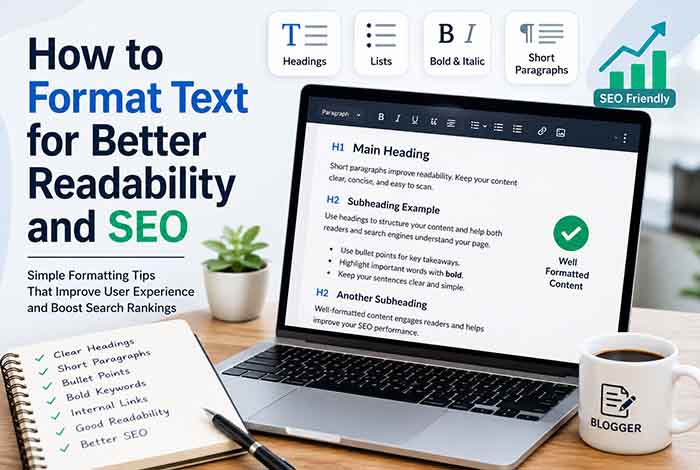
Proper text formatting improves readability by making content easier to scan and understand. It also supports SEO by helping search engines better interpret your content structure through clear headings, short paragraphs, lists, and logical formatting.
Why Text Formatting Matters
Writing high-quality content is only part of creating a successful blog post or web page. Even the most informative article can lose readers if it’s difficult to read.
People rarely read every word on a webpage. Instead, they scan headings, subheadings, bullet points, highlighted text, and short paragraphs before deciding whether to continue reading.
Well-formatted content improves the reading experience, keeps visitors engaged, and makes important information easier to find.
Search engines also benefit from properly structured content. Clear headings, organized sections, and logical formatting help search engines understand your page and identify its most important topics.
Whether you’re publishing a blog post, landing page, product description, or tutorial, proper formatting plays a major role in both user experience and search engine optimization.
How Formatting Improves Readability
Good formatting allows readers to quickly understand the structure of your content.
Instead of presenting one long block of text, break your content into smaller, organized sections that are easier to scan.
Some of the biggest readability improvements include:
Use Clear Headings
Headings divide your article into logical sections.
They help readers navigate the page and make it easier for search engines to understand your content hierarchy.
Keep Paragraphs Short
Large paragraphs often discourage readers.
Aim for paragraphs containing two to four sentences whenever possible.
Short paragraphs improve readability on both desktop and mobile devices.
Use Bullet Lists
Lists make complex information easier to digest.
For example:
- Highlight key ideas
- Summarize important points
- Explain step-by-step processes
- Improve content scanning
Highlight Important Information
Bold formatting helps readers quickly identify important concepts.
However, avoid bolding entire paragraphs. Instead, emphasize only keywords, important terms, or essential takeaways.
If you’re creating eye-catching Unicode text for social media or online profiles, our Bold Text Generator provides a fast and simple solution.
Remove Unnecessary Formatting
Copied content from PDFs, Word documents, emails, or AI tools often contains unwanted formatting and broken paragraphs.
Our Remove Line Breaks tool quickly converts messy copied text into clean, readable paragraphs before publishing.
How Formatting Supports SEO
Text formatting isn’t just about appearance—it also helps search engines understand your content.
Proper formatting improves:
- Content hierarchy
- Heading structure
- Keyword placement
- Featured snippet opportunities
- User engagement
- Time on page
- Mobile readability
While formatting alone won’t guarantee higher rankings, it contributes to a better overall user experience, which is an important aspect of creating helpful content.
Best Practices for Formatting Blog Posts
Professional bloggers follow consistent formatting standards because they improve both readability and content quality.
Some best practices include:
- Use descriptive headings and subheadings.
- Break long sections into shorter paragraphs.
- Add bullet or numbered lists where appropriate.
- Highlight important terms without overusing bold text.
- Maintain consistent spacing throughout the article.
- Ensure content is easy to read on mobile devices.
- Review formatting before publishing.
If you’re publishing on WordPress or another CMS, our HTML Text Editor makes it easy to edit and format HTML without installing additional software.
Common Text Formatting Mistakes to Avoid
Even experienced writers sometimes overlook formatting details that can reduce readability and negatively impact the user experience.
Avoiding these common mistakes can make your content easier to read and more enjoyable for your audience.
Writing Large Blocks of Text
Long paragraphs often overwhelm readers, especially on mobile devices.
Instead of writing eight or ten sentences together, divide your content into smaller paragraphs that focus on one idea at a time.
Short paragraphs encourage readers to continue scrolling and improve overall engagement.
Using Too Many Bold Words
Bold text should guide the reader’s attention—not distract from it.
Highlight only the most important keywords, phrases, or takeaways. Overusing bold formatting reduces its effectiveness and can make content look cluttered.
For creating clean and stylish emphasis on social media or online profiles, our Bold Text Generator offers a quick and easy solution.
Ignoring Heading Structure
Proper heading hierarchy improves both readability and SEO.
A well-structured article should follow a logical order, using descriptive headings that help readers understand the flow of information.
Clear headings also make it easier for search engines to interpret your content.
Inconsistent Formatting
Switching between different font styles, spacing, heading formats, or list styles creates an inconsistent reading experience.
Maintain the same formatting style throughout the article to improve professionalism and readability.
Publishing Without Cleaning Copied Text
Text copied from PDFs, Microsoft Word, Google Docs, OCR software, or AI writing tools often contains hidden formatting issues.
Before publishing, it’s a good practice to clean unnecessary formatting and remove broken paragraphs.
Our Remove Line Breaks tool helps convert messy copied content into clean, readable paragraphs within seconds.
Helpful Online Tools for Better Text Formatting
Formatting content manually can be time-consuming. Browser-based text editing tools simplify many common editing tasks and help maintain consistency across your articles.
HTML Text Editor
Many bloggers and website owners occasionally need to edit HTML to fix formatting issues, customize layouts, or prepare content for WordPress.
Our HTML Text Editor allows you to create, edit, and format HTML directly in your browser without installing additional software.
Italic Text Generator
Italic text can help emphasize important terms, book titles, quotations, or subtle points within your content.
Whether you’re writing articles or creating promotional content, our Italic Text Generator quickly converts ordinary text into elegant Unicode italic characters for supported platforms.
Underline Text Generator
Sometimes readers need a clear visual cue to notice important information.
Our Underline Text Generator helps create stylish underlined Unicode text that works well for announcements, calls-to-action, and highlighted messages across many online platforms.
Text Font Changer
Bloggers often promote their content through social media.
Creating attractive captions can increase engagement and improve visibility.
Our Text Font Changer transforms regular text into stylish Unicode fonts that can be used on Instagram, Facebook, X (Twitter), LinkedIn, Discord, and many other platforms.
Small Text Generator
Small Unicode text is commonly used for social media bios, creative signatures, profile descriptions, and decorative captions.
Our Small Text Generator instantly converts ordinary text into stylish miniature Unicode characters that can add personality to your online presence.
Sort Text Alphabetically
Organizing keywords, research notes, glossary entries, or content ideas becomes much easier when everything is sorted alphabetically.
Our Sort Text Alphabetically tool instantly organizes text lists, saving bloggers and SEO professionals valuable editing time.
Remove Numbers From Text
Research documents, OCR scans, exported spreadsheets, and AI-generated drafts sometimes include unwanted numbers.
Instead of deleting them manually, our Remove Numbers From Text tool quickly removes digits while preserving the surrounding words, making your content cleaner and easier to edit.
Better Formatting Creates Better User Experience
Well-formatted content keeps readers engaged from beginning to end.
When visitors can quickly scan headings, read short paragraphs, and identify key information, they’re more likely to stay on your page, continue reading, and interact with your content.
Good formatting also improves accessibility, making your content easier to consume on both desktop and mobile devices.
Ultimately, readability isn’t just about appearance—it’s about helping readers find the information they need with minimal effort.
How to Build a Readable and SEO-Friendly Article
Formatting content correctly is one of the easiest ways to improve both the reader’s experience and your content’s overall quality. While search engines primarily rank content based on its relevance and usefulness, well-structured formatting helps users consume information more efficiently.
Here are a few practical tips every writer should follow:
Start with a Clear Introduction
Your introduction should explain what the article covers and why it’s valuable. Keep it concise while naturally introducing your primary keyword.
Use a Logical Heading Structure
Organize your content using descriptive headings and subheadings.
A logical structure helps readers scan your article and makes it easier for search engines to understand the relationship between different sections.
Keep Sections Focused
Each section should discuss one primary topic.
Avoid combining unrelated ideas into the same paragraph or heading.
Use Lists Where Appropriate
Bullet points and numbered lists improve readability by breaking complex information into smaller, digestible pieces.
They’re especially useful when explaining:
- Best practices
- Step-by-step instructions
- Key takeaways
- Feature comparisons
- Common mistakes
Review Before Publishing
Always preview your article before publishing.
Look for:
- Broken formatting
- Inconsistent spacing
- Long paragraphs
- Missing headings
- Incorrect HTML
- Unnecessary line breaks
Taking a few extra minutes to review formatting can greatly improve the final reading experience.
Why Choose Free Online Text Editor?
At Free Online Text Editor, we believe writing should be simple, efficient, and accessible.
Our growing collection of browser-based text editing tools helps writers, bloggers, students, SEO professionals, and developers solve common formatting challenges without downloading software.
Whether you need to:
- Edit HTML
- Remove unwanted line breaks
- Create bold or italic Unicode text
- Organize keyword lists
- Remove unnecessary numbers
- Generate stylish text for social media
our free tools are designed to help you work faster while maintaining professional-quality formatting.
Every tool runs directly in your browser, making it easy to edit content anytime and from virtually any device.
External Resources
Want to improve your content formatting, readability, and overall user experience? These trusted resources provide practical guidance for writers, editors, and website owners.
- Readability Guidelines – Practical recommendations for creating content that’s easier to read and understand.
- Google Developer Documentation Style Guide – Learn how Google structures clear, readable technical content.
- Material Design – Writing – Google’s guidance on writing clear, concise, and user-friendly content.
- PlainLanguage.gov – Best practices for writing simple, readable, and accessible content.
- Nielsen Norman Group – Writing for the Web – Research-backed advice on formatting content for better readability and user experience.
These trusted resources complement the tools available on Free Online Text Editor and can help you create content that’s easier to read, more engaging, and better optimized for users.
Frequently Asked Questions
Why is text formatting important for readability?
Good formatting makes content easier to scan and understand by using clear headings, short paragraphs, bullet lists, and consistent spacing.
Does text formatting affect SEO?
Proper formatting helps search engines understand your content structure while improving user experience, which supports the creation of helpful, well-organized content.
How long should paragraphs be for better readability?
Most online articles are easier to read when paragraphs contain two to four sentences, especially on mobile devices.
Should I use bold text throughout my article?
No. Bold text should only highlight important keywords or key takeaways. Overusing it can reduce readability and make content appear cluttered.
What are the best formatting practices for blog posts?
Use descriptive headings, short paragraphs, bullet lists, consistent spacing, and logical content organization throughout your article.
Can an online text editor improve my writing workflow?
Yes. Online text editors help clean formatting, edit HTML, organize content, and prepare articles for publishing more efficiently.
Are browser-based text editing tools free?
Many browser-based text editors are free to use and work without requiring software installation or account registration.
Which formatting mistakes should I avoid?
Avoid large blocks of text, inconsistent heading structures, excessive bold formatting, poor spacing, and publishing copied content without cleaning unnecessary formatting.
Final Thoughts
Creating great content isn’t only about choosing the right words—it’s also about presenting them in a way that’s easy to read and understand. Clear headings, concise paragraphs, well-organized lists, and consistent formatting help readers stay engaged while making your content more accessible.
Whether you’re writing blog posts, website pages, tutorials, or marketing content, investing time in proper formatting can improve both the user experience and the overall quality of your work.
With the browser-based tools available at Free Online Text Editor, you can simplify formatting, clean copied text, edit HTML, and organize your content more efficiently. Small improvements to your editing process can lead to more professional, reader-friendly content every time.